 9739d143d3
- ESLint config `remcohaszing/typechecking` is extended.
- Various previously disabled ESLint rules have now been enabled.
- Various `any` types have been fixed.
- Removed useless type check of diagnostic code.
- The diagnostics adapter listener has been turned into an actual map.
4 KiB
Monaco YAML




YAML language plugin for the Monaco Editor. It provides the following features when editing YAML files:
- Code completion, based on JSON schemas or by looking at similar objects in the same file
- Hovers, based on JSON schemas
- Validation: Syntax errors and schema validation
- Formatting using Prettier
- Document Symbols
- Automatically load remote schema files (by enabling DiagnosticsOptions.enableSchemaRequest)
- Links from JSON references.
Schemas can also be provided by configuration. See here for the API that the plugin offers to configure the YAML language support.
Installation
npm install monaco-yaml
Usage
Import monaco-yaml and configure it before an editor instance is created.
import { editor, Uri } from 'monaco-editor';
import { setDiagnosticsOptions } from 'monaco-yaml';

// The uri is used for the schema file match.
const modelUri = Uri.parse('a://b/foo.yaml');

setDiagnosticsOptions({
  enableSchemaRequest: true,
  hover: true,
  completion: true,
  validate: true,
  format: true,
  schemas: [
    {
      // Id of the first schema
      uri: 'http://myserver/foo-schema.json',
      // Associate with our model
      fileMatch: [String(modelUri)],
      schema: {
        type: 'object',
        properties: {
          p1: {
            enum: ['v1', 'v2'],
          },
          p2: {
            // Reference the second schema
            $ref: 'http://myserver/bar-schema.json',
          },
        },
      },
    },
    {
      // Id of the first schema
      uri: 'http://myserver/bar-schema.json',
      schema: {
        type: 'object',
        properties: {
          q1: {
            enum: ['x1', 'x2'],
          },
        },
      },
    },
  ],
});

editor.create(document.createElement('editor'), {
  // Monaco-yaml features should just work if the editor language is set to 'yaml'.
  language: 'yaml',
  model: editor.createModel('p1: \n', 'yaml', modelUri),
});
Also make sure to register the web worker.
Examples
A demo is available on monaco-yaml.js.org.
A running example: 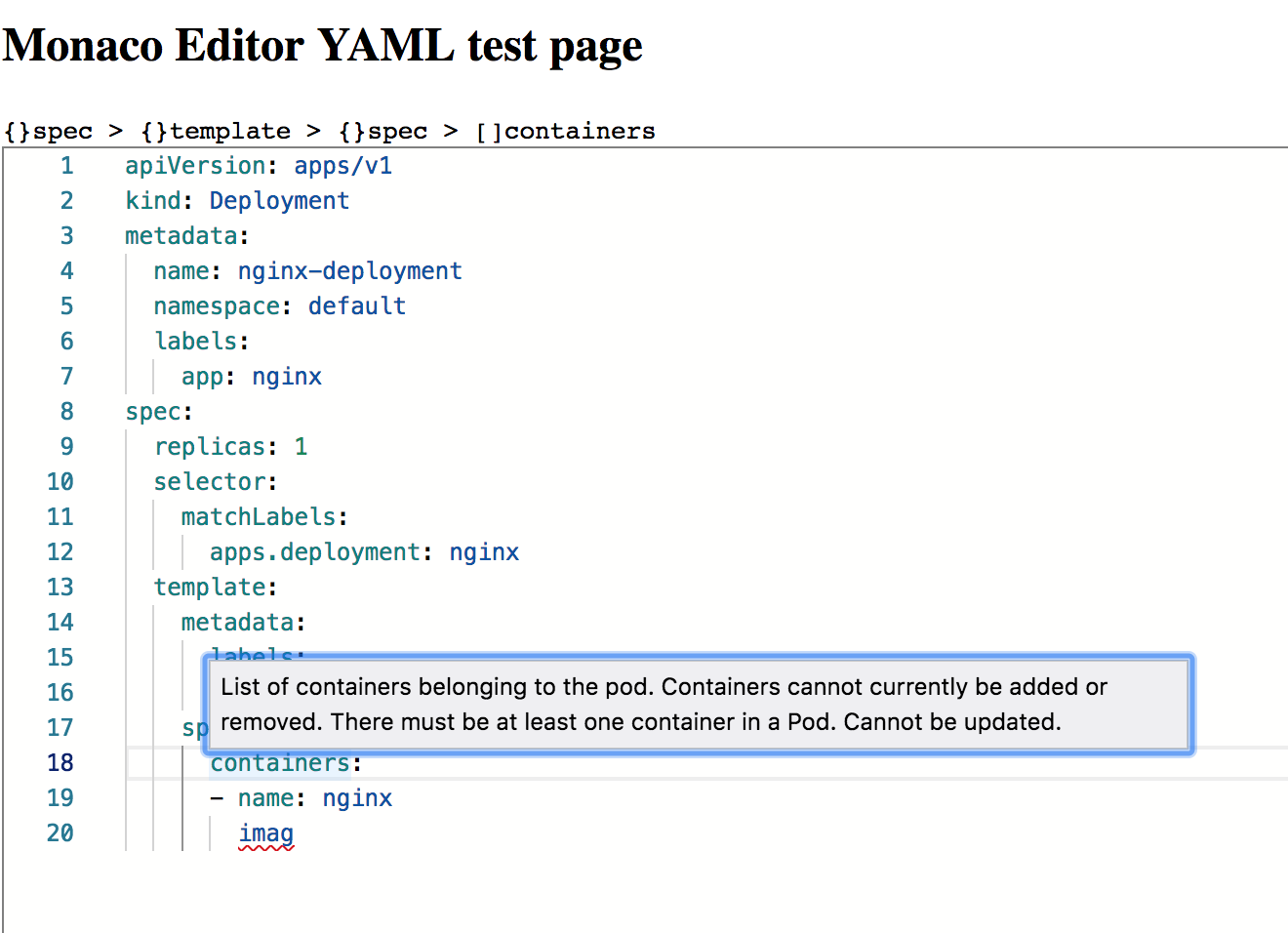
Some usage examples can be found in the examples directory.
Contributing
Please see our contributing guidelines
Credits
Originally @kpdecker forked this repository from
monaco-json by
@microsoft and rewrote it to work with
yaml-language-server instead. Later
the repository maintenance was taken over by @pengx17. Eventually the
repository was tranferred to the account of @remcohaszing, who is
currently maintaining this repository with the help of @fleon and
@yazaabed.
The heavy processing is done in
yaml-language-server, best known for
being the backbone for vscode-yaml. This
repository provides a thin layer to add functionality provided by yaml-language-server into
monaco-editor.