mirror of
https://github.com/danbulant/monaco-yaml
synced 2026-09-17 21:34:20 +00:00
No description
| .vscode | ||
| examples | ||
| patches | ||
| scripts | ||
| src | ||
| .editorconfig | ||
| .gitignore | ||
| .npmignore | ||
| LICENSE.md | ||
| package.json | ||
| README.md | ||
| test-demo.png | ||
| yarn.lock | ||


Monaco YAML
YAML language plugin for the Monaco Editor. It provides the following features when editing YAML files:
- Code completion, based on JSON schemas or by looking at similar objects in the same file
- Hovers, based on JSON schemas
- Validation: Syntax errors and schema validation
- Formatting
- Document Symbols
- Syntax highlighting
- Automatically load remote schema files (by enabling DiagnosticsOptions.enableSchemaRequest)
Schemas can also be provided by configuration. See here for the API that the JSON plugin offers to configure the JSON language support.
Installing
yarn add monaco-yaml
Both vs loader and ESM are supported.
See examples directory for esm and umd examples.
Development
git clone https://github.com/pengx17/monaco-yamlcd monaco-yamlyarn- open
$/monaco-yaml/demo/index.htmlin your favorite browser.
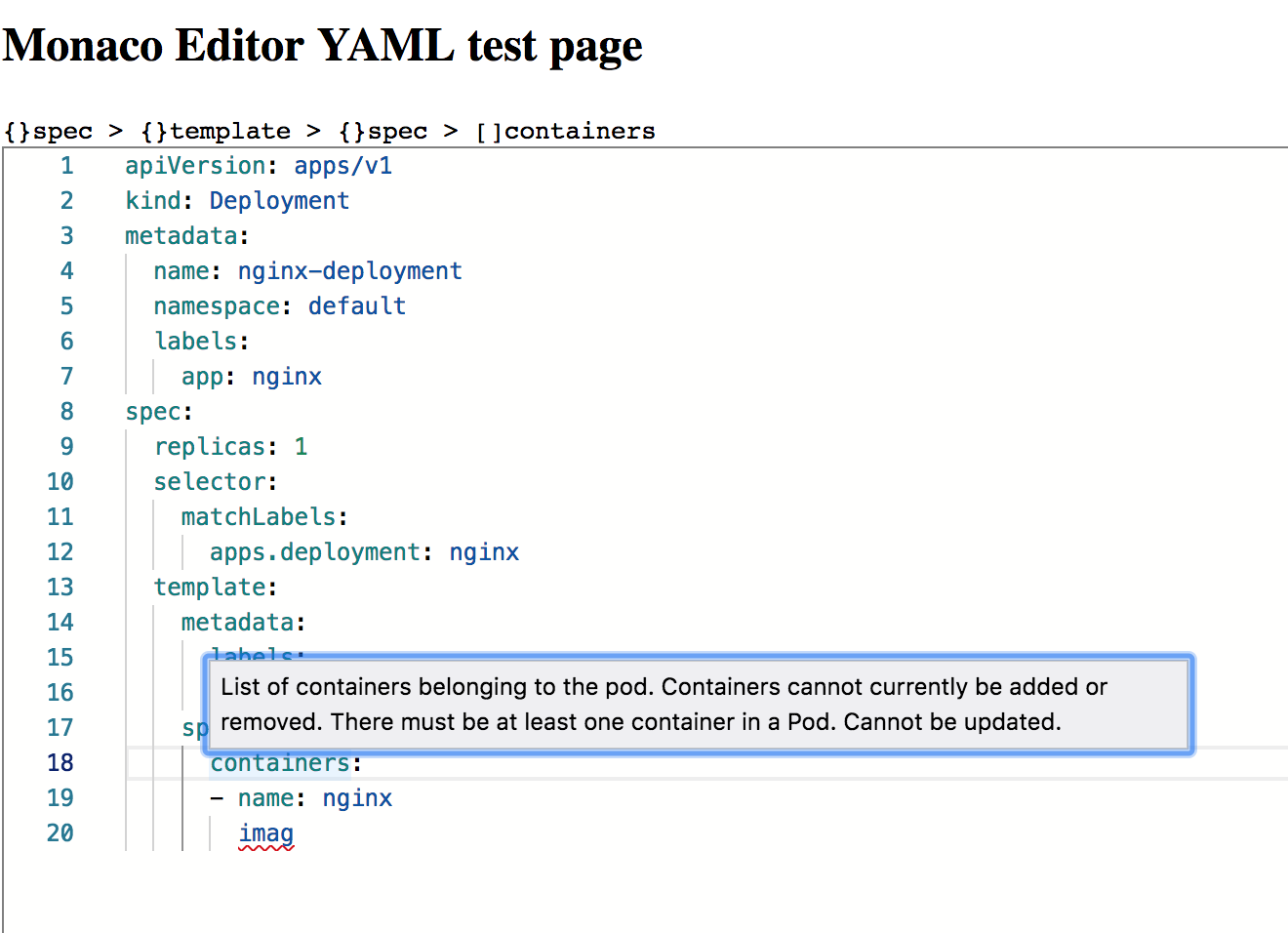
A running example:
Credits
Maintain
Manually clone dependencies list below and update the project files accordingly:
src/languageservice: https://github.com/redhat-developer/yaml-language-servercp yaml-language-server/src/languageservice monaco-yaml/src/languageservice- Modify the import paths, go to the test page and see if it still works
src/yaml-ast-parser-custom-tags: https://github.com/JPinkney/yaml-ast-parser/tree/master/src