Cosmos (C# Open Source Managed Operating System) is an operating system development kit which uses Visual Studio as its development environment. Despite C# in the name any .NET based language can be used including VB.NET, Fortran, Delphi Prism, IrinPython, F# and more. Cosmos itself and the kernel routines are primarly written in C#, and thus the Cosmos name. Besides that, NOSMOS (.NET Open Source Managed Operating System) sounds stupid.
Cosmos is not an operating system in the traditional sense, but instead it is "Operating System Kit", or as I like to say "Operating System Legos". Cosmos lets you create oeprating systems just as Visual Studio and C# normally let you create applications. Most users can write and boot their own operating system in just a few minutes, all using Visual Studio. Milestone 5 includes new features such as an integrated project type in Visual Studio, and an integrated debugger. You can debug your operating system directly from Visual Studio using breakpoints.
Cosmos is available in two distributions, the developer kit (dev kit), and the user kit. The dev kit is designed for users who want to work on Cosmos itself. The user kit is designed for those who are interested in building their own operating system and doing some Cosmos work. The dev kit might be though of as the Cosmos SDK. Most users should start off with the user kit as it is not so overwhelming like the dev kit. This article focuses on the user kit.
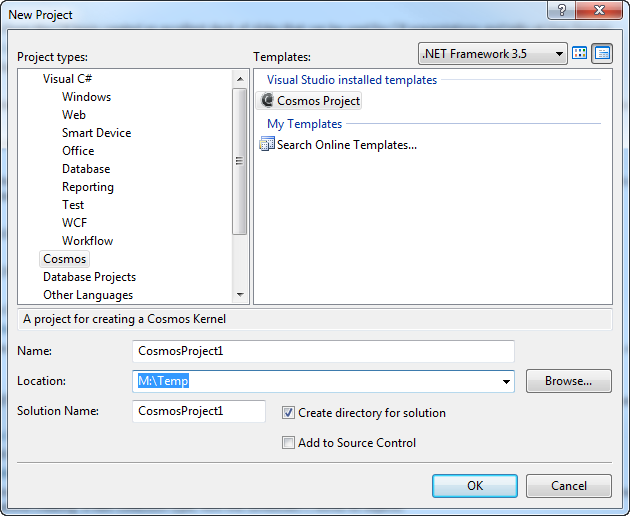
Create a new project as you would any C# project. Select Cosmos as the project type.
A starter project will be created. It looks very much like a standard C# console application.
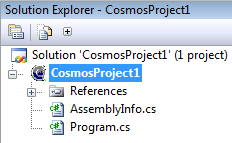
Program.cs contains the boot and execution code. Instead of seeing a Windows console window, you will see the following:
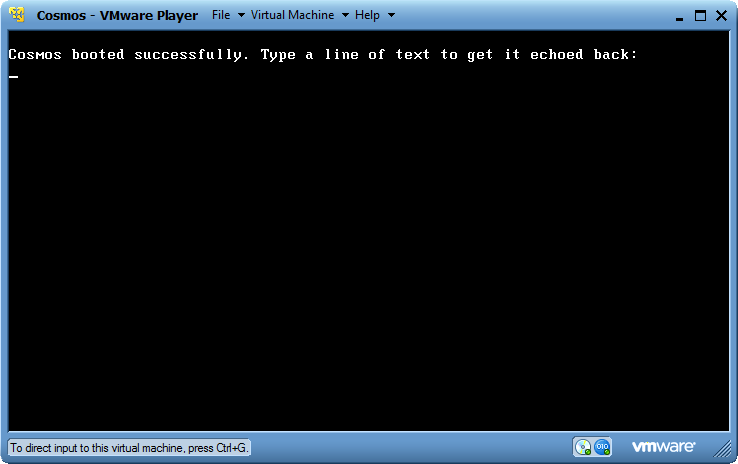
This is your operating system running in VMWare Player! Cosmos can of course also be booted in VMWare Workstation, Hyper-V, Virtual PC, or on real hardware. But by default Cosmos uses VMWare Player because it is both free, and reliable. Cosmos can even debug in Visual Studio, even when running on another machine.
Debugging is a major issue with operating system development. The Cosmos team was not content enough to simply conquer building and deployment, we want to make developing operating system as easy as developing Windows applications. Debugging a Cosmos based operating system should feel very familiar to you. Lets modify our project a little bit to show the effect, and set a breakpoint.
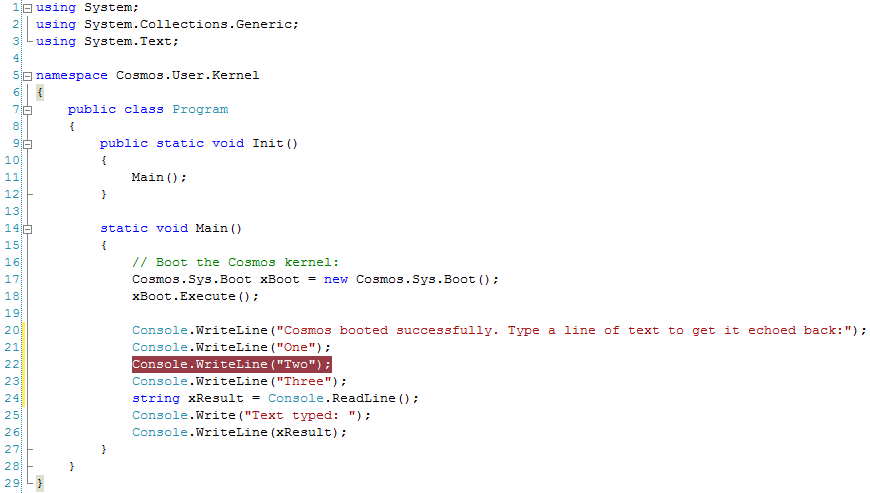
Now run the project again.
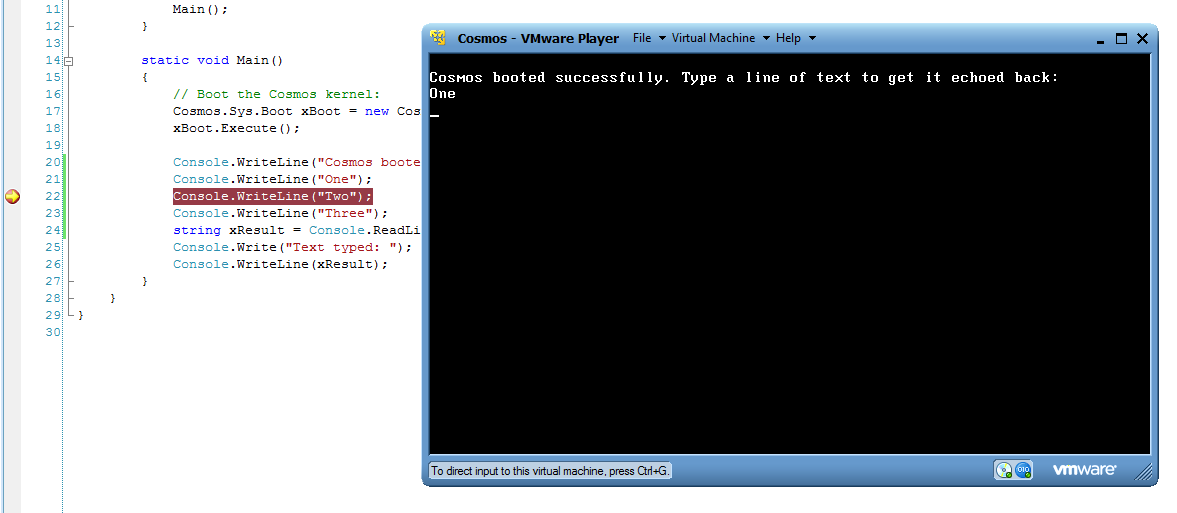
Note that the execution stopped at "One"? Thats becuase in Visual Studio our project has stopped on a breakpoint. Simply press F5 to continue just as you would in a normal application!
Milestone 5 only supports breakpoints. In the coming weeks we will release updates for stepping and watches. They are relatively easy now that we've done all the hard work of building the Visual Studio integration and communication with the running operating system. To debug on real hardware, you must use a serial cable. We are working on debugging over ethernet as well.
There really is no catch. Everything I've shown here is functioning, there are no mockups. However we still have a lot of work to go. Items of interest that are on our current task list include interfaces (necessary for foreach), file systems (partial support exists), threads, networking, and graphics. We have prototypes and experimentation for each, but none have been rolled into the mainline Cosmos development as of yet.
Cosmos does not run on Linux. A boot loader called Syslinux is used to boot Cosmos. After booting, Syslinux is not used. Syslinux is a bootloader and is not a Linux distro.